Add and manage contact types
To help organize your contacts list, create a contact type, then, associate contacts with it.
A contact type is a group of people with something in common, such as an interest or affiliation.
You can create contact types geared to your fundraisers, such as Athletics or Music. You can even create a temporary contact type, like Fall Festival volunteers, and then delete it after the event.
You can send a mass email to a contact type about a campaign that’s important to them.
Destiny Fundraising Manager contains the following default contact types:
-
Alumni
-
Board member
-
Donor
-
Member
-
Parent
-
Volunteer
| Note: You can only edit or delete user-created contact types. Default contact types cannot be edited or deleted. |
To add a contact type:
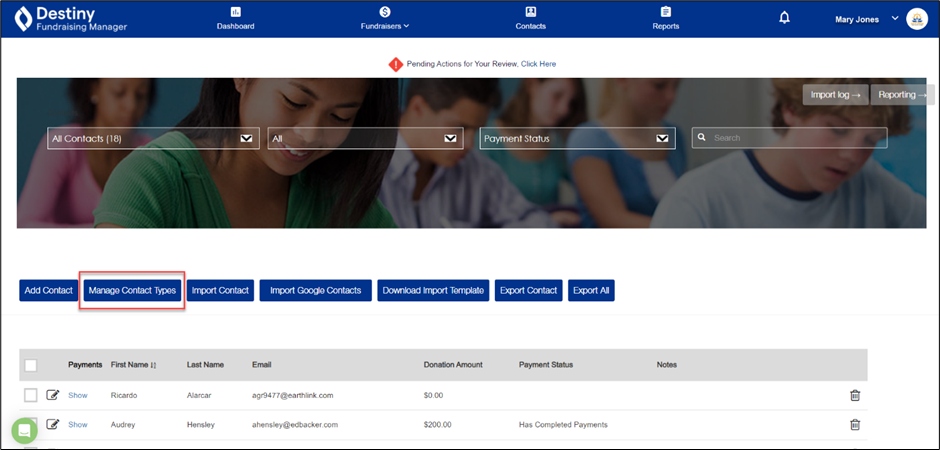
- Click Contacts. The Contacts page appears.
- Click Manage Contact Types.
 A pop-up appears.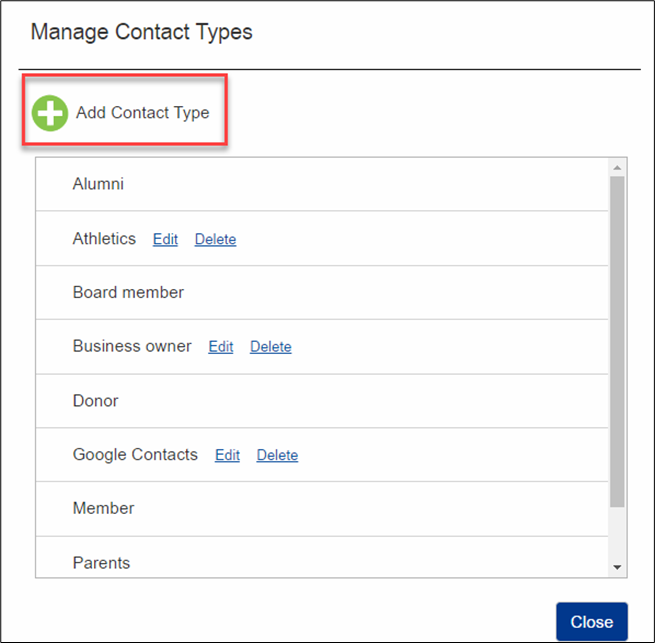
- Click +Add Contact Type, and then type a name.
- Click Save and then Close.
To edit the name of a contact type:
- Click Contacts. The Contacts page appears.
- Click Manage Contact Types. A pop-up appears.
- Click Edit next to the contact type.
- In the field, make your changes.
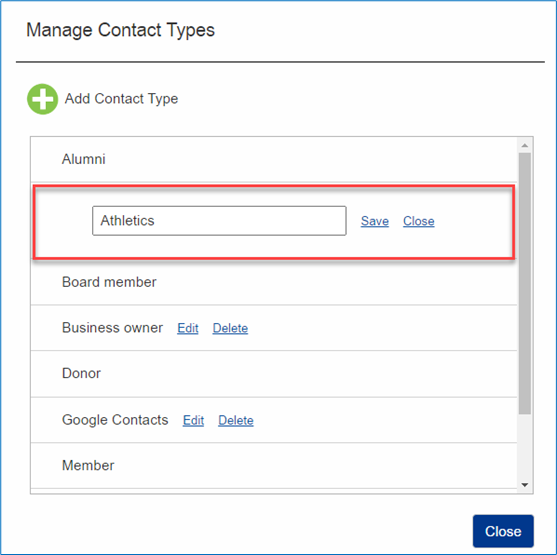
- Click Close.
To delete a contact type:
| Note: Deleting a contact type does not delete the contacts associated with it. |
- Click Contacts. The Contacts page appears.
- Click Manage Contact Types. A pop-up appears.
- Click Delete next to the contact type. A pop-up asks if you are sure.
- To proceed, click OK.
- Click Close.
For additional help, contact techsupport@follettsoftware.com.